
What Are the Most Common Questions About Generator Monitoring Setup?
Straight answers to the questions Sunnyvale, TX homeowners ask about generator monitoring.
What’s Covered on This Page
- Will Generator Monitoring Work If the Wi-Fi Signal Is Weak at the Generator Pad?
- What Does a Generator Monitoring Alert Tell Me?
- Is There an Ongoing Fee for Generator Monitoring, or Is It a One-Time Setup?
- Can Monitoring Be Added to a Generator That Someone Else Installed?
- If the App Shows Everything’s Fine, Does That Mean My Generator Will Start During an Outage?
- Do all generator brands work the same way with monitoring setup?
- Will I need to buy anything besides the setup itself?
- Can more than one phone or device get the alerts?
- What should I expect right after the setup is finished?
- Can you guarantee my alerts will always reach my phone after setup?
Will Generator Monitoring Work If the Wi-Fi Signal Is Weak at the Generator Pad?
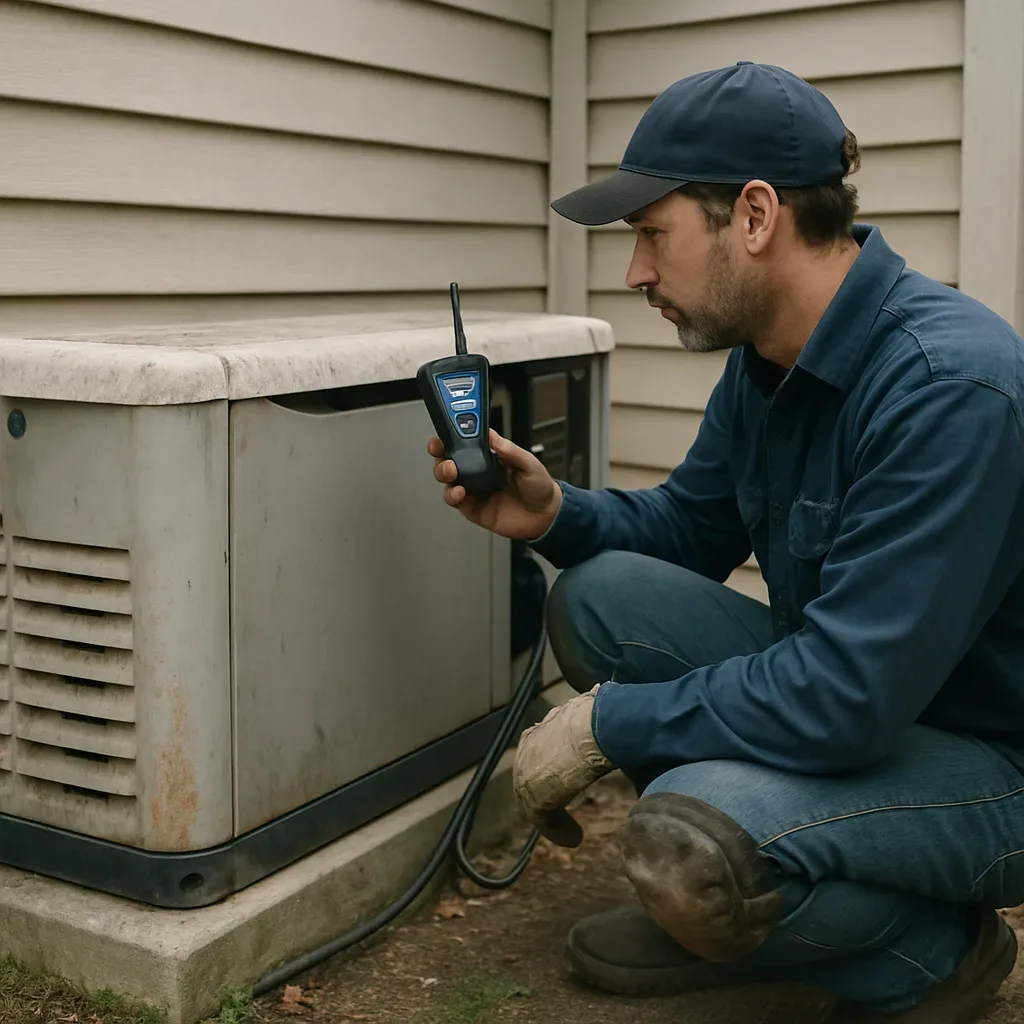
Most standby generators live outside the house, often tucked in a side yard or behind a fence, well away from the router. That distance alone, combined with brick, siding, or the metal panel on the generator’s own housing, can weaken a Wi-Fi signal enough that the monitoring module connects fine at first and then drops out later. We’ve walked into setups where the module showed full bars during a driveway test, then lost the connection entirely once the enclosure was closed back up around the antenna.
During generator monitoring setup, we check signal strength standing right at the unit, not from inside the house. If the signal is borderline, we say so before calling the connection done. Depending on the generator brand and module, a mesh extender near the pad or a different antenna placement can solve it. Sometimes the honest answer is that the location just won’t hold a reliable connection without extra network hardware, and you hear that before paying for the work, not after.
A handful of things decide whether a pad location works well for monitoring: how far the generator sits from your router, what’s in the way between them, and whether your home network already has trouble reaching outdoor dead zones. We don’t sell or install network hardware ourselves. That’s outside the base setup, along with the generator and any subscription fees the monitoring service charges. Our job is getting the module connected and tested against your actual conditions, not a best-case guess.
If your monitoring alerts aren’t reaching your phone reliably, or you’re not sure the original setup was ever tested at the pad instead of the driveway, it’s worth a second look no matter who installed the generator. Signal problems like this come up across generator monitoring setup and our broader generator installation service work.
What Does a Generator Monitoring Alert Tell Me?
An alert means your generator noticed something changed, not that it broke. Once we finish a setup, your phone starts getting messages straight from the unit, and most people are surprised how often it checks in. A low fuel or low battery notice means the tank or the starting battery needs attention before the next outage, not in the middle of one. A missed self-test alert usually means the weekly exercise cycle didn’t run, and that often traces back to a tripped breaker at the transfer switch or a setting that got bumped somewhere along the way.
A connectivity alert just means the generator lost touch with the app, usually because the home Wi-Fi dropped or the router got moved. We’ve set up units tucked against a back fence or sealed inside a metal enclosure where the signal has to work harder, and that’s a real limitation of relying on the home network instead of a dedicated connection. It doesn’t mean the generator stopped working, only that it can’t report in at that moment.
A maintenance-due alert is scheduled, tied to running hours or a calendar date set during setup, and it’s really no different from an oil-change light. A fault or warning code is a separate matter. That points to something the generator’s control board is actively flagging, like an over-speed condition or a sensor reading outside its normal range, and that’s the one worth calling in on. We walk you through what each alert type looks like on your specific app during setup so you’re not left guessing later.
- Low fuel or low battery: check before the next storm, not an emergency
- Missed self-test: exercise cycle didn’t complete, often a breaker or setting issue
- Connectivity lost: signal problem, not proof the generator quit
- Maintenance due: scheduled service reminder tied to hours or date
- Fault or warning code: the control board flagged something worth a call
If you’re comparing monitoring options for the first time, our generator monitoring setup service in Sunnyvale covers the Wi-Fi connection, app pairing, and testing so alerts actually reach your phone the way they’re supposed to.
We also work on generators installed by other companies when the monitoring itself is the issue, since setting it up doesn’t require us to have installed the original unit. Alerts are one piece of the picture, not the whole story, and any code you don’t recognize is a perfectly good reason to call and ask what it means before assuming the worst.
Is There an Ongoing Fee for Generator Monitoring, or Is It a One-Time Setup?
The setup itself is a one-time job. We configure the Wi-Fi or remote monitoring connection on your standby generator, get it talking to your phone, and test it before we leave. That’s what we charge for, and once it’s done, we don’t bill you for it again.
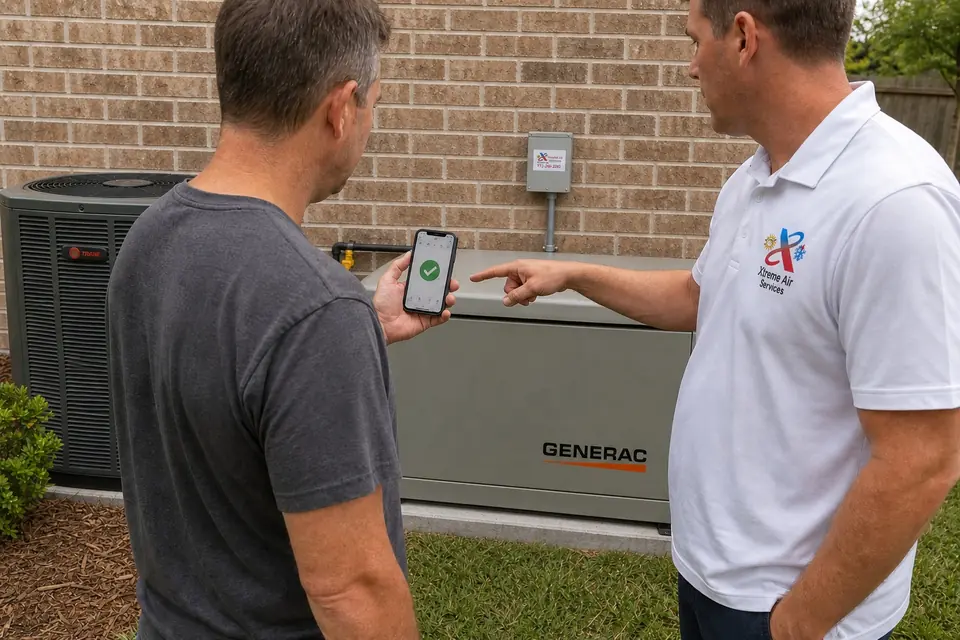
What’s out of our hands is whether the generator’s manufacturer or the monitoring platform itself charges a subscription for the app or the cellular connection some units use to send alerts. That’s a separate cost from a separate company, not something we collect or mark up. We’ll tell you upfront if your particular generator model uses a paid monitoring service, so it never turns into a surprise after we’ve left.
A few things change what the setup job itself involves, though none of them turn it into a recurring charge:
- The generator brand and which monitoring module it uses
- Whether Wi-Fi or cell signal reaches the generator’s location without extra equipment
- Any added accessories you want connected, like a second notification device
- Whether the monitoring needs to integrate with other home systems
Network hardware, like a booster or a new router, isn’t part of our setup service and isn’t included in what we quote. The same goes for code corrections; those get handled and quoted separately if we run into something during the visit. We walk through all of it with you before any work starts, so you’re approving a real number, not a guess.
If you’re calling because your system needs a diagnostic visit first, there’s a service call fee for that, and it gets credited toward the job if you decide to move forward with our Generator Installation Service that day. For the actual setup cost range and what drives it, our generator monitoring pricing page breaks that down in plain numbers.
Not sure what your Generator monitoring setup project needs? Ask us.
Call Today, Get Service Today. Xtreme Air Services is ready to help.
Can Monitoring Be Added to a Generator That Someone Else Installed?
Yes, in most cases. Generator monitoring setup is its own job, separate from the original installation, and we get this call a lot from homeowners whose generator went in years ago with no way to check on it from a phone.
What we’re actually doing is connecting a monitoring module to the generator’s control board, getting it on your Wi-Fi or cellular signal, and testing that alerts reach your phone. That work doesn’t require us to have installed the generator itself. We’re not touching the fuel line, the transfer switch, or anything structural, we’re wiring up a small module and confirming it talks to the generator correctly.
Here’s the part that actually decides whether we can do it. The generator brand and the monitoring module have to be compatible, and some older units run proprietary boards that limit which monitoring systems will connect at all. Wi-Fi or cell signal strength out at the pad matters too, since a generator tucked behind a house with weak signal may need a repeater or a different connection method before monitoring works reliably. Those two questions are really what we’re answering during a visit, not who installed the unit originally.
One place we do draw a line is equipment we can’t verify or stand behind. We generally don’t take on labor-only work installing gear we didn’t source, because our workmanship warranty only covers what we can confirm is in good working order first. For monitoring setup on an existing generator, that mostly means checking that the control board and wiring are in a condition where a module can be added safely, not requiring that we did the original install.
So if you’ve got a standby generator from another contractor sitting quiet through storm season with no alerts, no app, no way to know it even started, that’s a completely normal call for us. We’ll look at the brand, check the module options, test the signal at the pad, and tell you plainly if something about the setup limits what’s possible before any work starts. You can read more about how we approach our generator monitoring setup work and what a visit typically covers.
If the App Shows Everything’s Fine, Does That Mean My Generator Will Start During an Outage?
No, and this is worth understanding before you buy. A monitoring app tells you the status the module can see and report: is the unit connected, is it getting signal, has it logged a recent self-test, is the battery charging. It doesn’t physically test whether the engine will crank, whether the transfer switch will pull power correctly, or whether fuel supply is adequate the moment the grid drops. Monitoring reports what the generator tells it. It doesn’t replace a hands-on look at the machine itself.
Here’s a distinction we point out to people during setup. A green status usually means the generator completed its scheduled self-test and reported back over Wi-Fi or cellular. That’s real information, and it’s useful. But a self-test only runs the engine briefly under light or no load. It doesn’t simulate your actual house pulling full amps during a July heat wave in Sunnyvale or Rockwall, when three AC units, a refrigerator, and a well pump all kick on at once. A unit can pass a self-test and still struggle under real load if something mechanical needs attention.
- What monitoring shows: connectivity status, self-test results, battery condition, and alert history sent to your phone
- What monitoring does not show: real-world starting performance under a full household load
- What monitoring does not replace: annual physical service, load testing, and hands-on inspection of the engine and transfer switch
- What it’s good for: catching a dead battery, a lost signal, or a missed self-test before an outage happens, not during one
This is why we treat monitoring setup as one piece of keeping a standby generator dependable, not the whole picture. Generator maintenance, generator load testing, and generator annual service are separate services that put hands and eyes on the actual machine. If you’re weighing what monitoring covers against what a full maintenance visit covers, our generator monitoring setup page breaks down where the line sits between the two.
We won’t tell a customer that an app alone means they’re covered for storm season. It’s a convenience layer that catches problems early and keeps you from discovering a dead battery the hard way, in the dark. Pairing it with regular service is what actually backs up the promise of backup power.
See our full generator monitoring setup service in Sunnyvale for what the complete job involves.
Frequently Asked Questions
Common questions about Generator Monitoring Setup in Sunnyvale
Do all generator brands work the same way with monitoring setup?
No, they don’t. The brand and monitoring module your generator uses changes how the setup goes, since some modules pair over Wi-Fi and others need different steps. We look at your specific brand and module before we start, not a generic checklist. That’s one reason two generators can need slightly different setup work even in the same neighborhood.
Will I need to buy anything besides the setup itself?
You might, depending on your situation. Our setup covers connecting and testing the monitoring module, but it doesn’t include network hardware like a router or signal extender if your home network needs one. Any subscription fee the monitoring platform charges for the app or cellular alerts is also separate, and it comes from the manufacturer or platform, not from us.
Can more than one phone or device get the alerts?
Often, yes. Adding a second notification device is one of the things we can connect during setup, depending on what your generator’s module supports. If you want alerts going to more than one phone in the household, mention it before we start so it’s part of the setup instead of an afterthought.
What should I expect right after the setup is finished?
Before we leave, we test the connection so you can see alerts reaching your phone, not just the app showing “connected.” That’s the whole point of testing on-site instead of guessing. If something about the signal at the generator’s location is borderline, we tell you before calling the job done.
Can you guarantee my alerts will always reach my phone after setup?
We can’t promise that, and we wouldn’t want to overstate it. Once the module is connected and tested, whether alerts keep coming through depends on your home Wi-Fi staying up, the generator’s own connectivity, and the monitoring platform’s servers, none of which we control after we leave. What we can control is testing the connection at the pad before we call the setup finished.
Ready to Get Started?
Call 972-288-2263 Today, Get Service Today.