Most homes with a standard 24-volt HVAC control board can run a smart thermostat without much trouble. The real question isn’t whether smart thermostats work in general. It’s whether your wiring has a C-wire, and whether your system falls into a high-voltage, millivolt, or proprietary category that changes the picture. Before you buy anything, run a manufacturer’s compatibility checker and snap a photo of your existing wiring.
TL;DR:
- Most homes with standard low-voltage wiring can install a smart thermostat if they have a C-wire; if not, alternative fixes like power extender kits or professional wiring are necessary.
- Systems with line-voltage, millivolt, or proprietary configurations often require professional diagnosis and cannot use standard smart thermostats.
- Multi-stage, heat pump, zoned, or dual-transformer systems may need thermostats with advanced controls or expert setup to ensure proper operation.
- Relying on DIY adapters for missing C-wires is often a temporary solution, while running a new C-wire provides a permanent fix suitable for full feature support.
- Professionals can quickly verify compatibility, perform wiring upgrades, and handle complex HVAC setups that DIY methods cannot safely address.
Table of Contents
- Checking Smart Thermostat Compatibility Before You Buy
- What the C-Wire Does and How to Read Your Terminal Labels
- No C-Wire? Here Are Your Real Options
- Multi-Stage, Heat Pumps, and Zoned Systems Need Extra Attention
- When to Call a Professional Instead of DIYing It
- Practical Wiring Over Hype
- Get a Professional Compatibility Check and Installation From Xtreme Air Services
- Where to Verify Compatibility Yourself
- Sources
- FAQ
Checking Smart Thermostat Compatibility Before You Buy
You can figure out most of this in about 15 minutes, and you don’t need to know your furnace’s brand or model to do it.
Start with the manufacturer’s tool. Every major thermostat brand runs an online compatibility checker, and they all ask the same basic question: what wires do you have? Google Nest’s compatibility tool, for example, only needs you to identify the letters on your existing wiring terminals, not the HVAC equipment brand or age behind the wall.
Before you touch anything, follow this order:
- Turn off power to your HVAC system at the breaker or the switch near the furnace.
- Remove the old thermostat’s faceplate carefully, leaving wires attached to their terminals.
- Photograph the wiring straight on, in good light, so every terminal letter is readable.
- Note any wires that are bundled, capped off, or unused inside the wall plate.
- Enter what you see into the checker: terminal letters present, wire colors, and whether a wire occupies the “C” slot.
What the tool asks for usually boils down to a short list: R or RC (power), G (fan), Y (cooling), W (heat), O/B (heat pump reversing valve), and C (common). If a checker returns “compatible,” you’re clear. If it says “needs C-wire” or “may require a power adapter,” that means your system can likely still work, just with an added step covered below. A result of “incompatible” tied to voltage or a proprietary system is a different problem entirely, and it’s covered next.
What the C-Wire Does and How to Read Your Terminal Labels
The C-wire, short for common wire, delivers continuous 24-volt power back to the thermostat so it can run a Wi-Fi radio, a color touchscreen, and backlighting without draining a battery. Without one, plenty of smart thermostats will still install, but they can behave erratically, lose Wi-Fi connection, or drain batteries fast, which is why Honeywell Home’s guide to the C-wire treats it as close to essential for full-feature smart models.
Learning to read your terminal labels takes five minutes and saves you a wasted trip to the store:
- R or RC/RH: power feed from the transformer, sometimes split into two wires for heating and cooling circuits.
- G: controls the blower fan independent of heating or cooling calls.
- Y: engages the compressor for cooling.
- W: calls for heat from a furnace or boiler.
- O/B: switches the reversing valve on a heat pump between heat and cool modes.
- C: the common wire that powers smart features continuously.
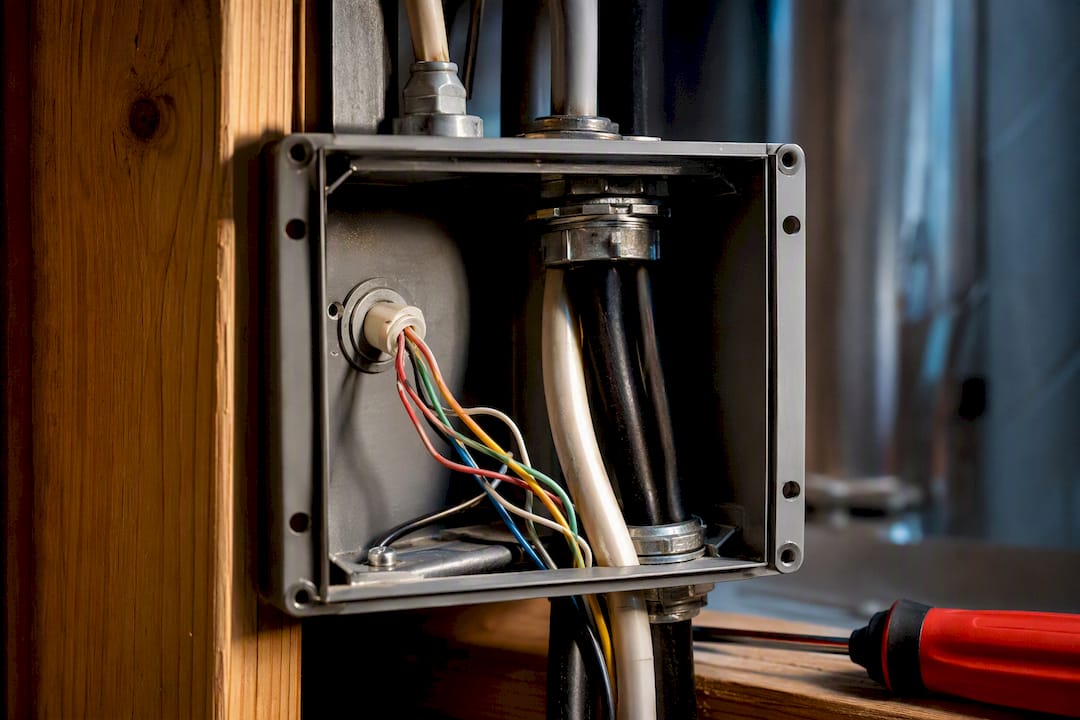
Some systems never show up on a standard checker at all. Thick, solid-colored wires with labels like L1, L2, or a plate marked 120V or 240V mean you’re looking at a line-voltage system, common in electric baseboard heat, and standard smart thermostats aren’t built for that voltage. Millivolt systems, often older wall furnaces or boilers, generate their own tiny voltage without a transformer and need a specialized low-voltage-compatible thermostat, if one exists for that unit at all.
Pro Tip: If you see anything resembling L1/L2 markings or thick gauge wire that looks more like standard household wiring than thin thermostat cable, stop and call a licensed electrician instead of guessing.
No C-Wire? Here Are Your Real Options
A missing C-wire isn’t a dead end. Consumer Reports notes that most systems flagged as incompatible for this reason can be fixed with one of a few standard approaches, ranked roughly by ease:
- Power Extender Kit (PEK). Many manufacturers sell a small adapter that repurposes an unused wire, often the G wire, to simulate a C-wire connection at the furnace board. This is usually the fastest fix and works for a lot of single-stage systems.
- Third-party add-a-wire adapter. Similar concept, different brand, and useful when your thermostat maker doesn’t sell its own kit.
- Battery-powered or low-power thermostat model. Some thermostats run on batteries instead of requiring a C-wire, but expect reduced Wi-Fi reliability and shorter battery life if you rely heavily on remote app features.
- Run a new physical C-wire. This means fishing new wire through the wall between the furnace and the thermostat location. It costs more up front but solves the problem permanently and supports every feature the thermostat offers.
Running a new wire is the option installers lean toward for a reason: attempting to rewire the control board yourself risks frying it, turning a $30 adapter problem into a control board replacement. When wall access is difficult or the furnace sits far from the thermostat, that job is worth handing to a professional.
Multi-Stage, Heat Pumps, and Zoned Systems Need Extra Attention
Basic single-stage furnaces and standard air conditioners are the easiest match for any smart thermostat on the market. Once your system gets more sophisticated, the compatibility conversation changes.
- Multi-stage heating and cooling (two-stage furnaces, variable-speed compressors) need a thermostat built to send staged signals, not just an on/off call. PCMag’s testing found that entry-level smart thermostats often support single-stage only, while higher-end models handle multi-stage control properly.
- Heat pumps and dual-fuel systems (a heat pump paired with a gas furnace for backup) require a thermostat that manages the O/B reversing valve and knows when to switch between electric and gas heat, which not every model does out of the box.
- Dual-transformer systems, where heating and cooling run on separate 24V transformers, can prevent a straightforward C-wire adapter install altogether and may need a professional-grade solution.
- Zoned systems with damper controllers, plus accessories like whole-home humidifiers, dehumidifiers, or ventilators, often need a thermostat with dedicated accessory terminals, not just the basic five wires.
This Old House points out that manufacturer checkers sometimes miss these nuances, since they’re built around wire letters rather than full system architecture. If your setup includes any of the above, match the thermostat’s documented feature set to your system type before buying, and loop in a technician if you’re unsure.
When to Call a Professional Instead of DIYing It
Some jobs are worth doing yourself. Line-voltage systems, dual-transformer setups, and anything with unclear or proprietary wiring are not among them.
- Line-voltage or 120/240V systems require an electrician, not a thermostat installer, because the risk of shock or fire goes up sharply.
- Proprietary or “communicating” HVAC systems, common on newer high-efficiency equipment, sometimes only work with the manufacturer’s own thermostat and reject third-party smart models entirely.
- Dual-transformer configurations often need a step-down transformer installed correctly to avoid shorting the control board.
A qualified technician checks the control board, tests transformer voltage at the terminals, confirms relay function, and identifies every labeled terminal before touching your new thermostat. From there, the deliverables are straightforward: confirmed wiring photos, a compatibility verdict in writing, either a C-wire run or a step-down transformer if needed, and a full function test once the new thermostat is mounted.
Pro Tip: Bring your wiring photo to the appointment, even if a technician is coming to look in person. It speeds up the diagnosis and gives you a second opinion on anything the online checker flagged as uncertain.
Practical Wiring Over Hype
Most “incompatible” results aren’t permanent verdicts. They’re a missing C-wire or a system type that needs a slightly different approach, and both are fixable. What actually determines a good outcome isn’t which thermostat brand you chose. It’s whether power delivery to that thermostat is solid and safe. Document your wiring before any purchase or service call. A clear photo saves everyone time and gets you a straight answer instead of a guess.
— Xtreme
Get a Professional Compatibility Check and Installation From Xtreme Air Services
Professional service providers can offer a faster, safer path to a working smart thermostat than trial-and-error with adapters you bought online. Instead of guessing whether a power extender kit will hold up on your specific system, technicians can confirm compatibility, run a new C-wire when that’s the right long-term fix, and handle dual-transformer or zoned setups that standard DIY kits can’t touch.

Booking a visit usually includes an on-site inspection of your control board and wiring, a clear answer on what your system needs, and an estimate before any work begins. If your setup calls for more than a thermostat swap, service teams can also handle surrounding air conditioning and heating work that often comes up once a technician is already looking at your equipment. For homes with older wiring or a furnace that’s overdue for a look, it may be useful to schedule both checks in the same appointment to explore how new interior doors improve energy efficiency in older Portland homes, enhancing your overall home’s performance. How new interior doors improve energy efficiency in older Portland homes | One Day Doors & Closets Reach out to service providers to arrange compatibility checks and installations.
Where to Verify Compatibility Yourself
- Nest thermostat compatibility checker for wire-based compatibility results
- ENERGY STAR smart thermostat guidance on Wi-Fi placement and product criteria
- ecobee’s HVAC compatibility guide for incompatible system types and adapter options
- Consumer Reports installation guide for safety-focused installation steps
Sources
- Everything you need to know about a C‑wire | Honeywell Home
- Nest thermostat compatibility | Google Support
- How to install a smart thermostat | Consumer Reports
FAQ
Can You Put a Smart Thermostat on Any Thermostat System?
Not quite any system. Standard 24-volt setups are usually fine, but line-voltage, millivolt, and some proprietary communicating systems fall outside what most smart thermostats support, according to ecobee’s compatibility documentation. Running a manufacturer’s checker with a photo of your wiring is the fastest way to know for sure.
What Are the Downsides of Using a Smart Thermostat?
Without a C-wire, some models drain batteries faster or drop Wi-Fi connectivity, since continuous power for smart features usually comes from that wire, per Honeywell Home. Reliability also depends on router distance, and weak Wi-Fi signal at the thermostat location can cause dropped connections.
Do Smart Thermostats Work With Any HVAC System?
They work with most standard forced-air and heat pump systems that use 24-volt low-voltage wiring. Multi-stage, dual-fuel, and zoned systems need a thermostat model built to match that complexity, as PCMag’s testing shows for multi-stage support specifically.
What Does It Mean If My Thermostat Isn’t Compatible With My Wiring?
An “incompatible” result usually points to a missing C-wire rather than a permanent block, and Consumer Reports notes this is often fixable with a power extender kit, an adapter, or a new wire run. If the result flags a high-voltage or proprietary system instead, that’s a different issue that generally needs a licensed professional to resolve.
How Do I Know If I Need a Professional Installer?
If your wiring shows line-voltage markings, a dual-transformer setup, or a proprietary communicating system, skip the DIY adapter and call a licensed technician. Professional service providers handle these more complex thermostat installations alongside the wiring diagnosis needed to confirm what your system actually requires.